
QODDI DOCUMENTATION
Node.JS
Last updated

Qoddi automatically builds your Node.JS apps created from the platform.
In order to do that, Qoddi uses buildpacks to detect and build your app automatically.
Before building your code
Commit package.json at the repository root, your application source, and a lockfile for exactly one package manager:
- npm:
package-lock.json - Yarn:
yarn.lock - pnpm:
pnpm-lock.yaml
Define a start script and commit a Procfile with the launch command. Keep node_modules/ out of Git. The classic Node.js buildpack can fall back to npm without a lockfile, but committing one makes dependency resolution reproducible.
You can fork Qoddi’s Node starter to try the deployment flow. Update its runtime and dependencies to match your application.
Add-ons to run specific Frameworks
Qoddi developed specific add-ons to run popular NodeJs frameworks.
Those add-ons automatically take care of everything specifically related to a framework including the Node environment variables required to run your app, the network settings, and the post-build scripts.
As of today, add-ons are available for :
Create your app on Qoddi
Create a new app and link it with your repository using SSH keys.
Read this article for a detailed procedure or check this video :
Default env variables
When Qoddi deploys a Node.JS app, it automatically creates two environment variables: PORT and HOST
It’s critical to verify that those variables are used inside your code or that the values inside your code match the values of those environment variables.
To access env variables from your code you can use const PORT = process.env.PORT
Using the wrong port or host value will cause your app to crash to a 502 error.
Procfile
The Procfile helps Qoddi prepare the infrastructure according to your app needs and determine the launch sequence of your app after the build. On Qoddi’s infrastructure, the Procfile always starts by web: regardless of your app type (even for a worker).
The Procfile basically contains the type of app and the initial script to run when the app starts :
web: npm startCustomizing the Build process
Put the build command in scripts.build and the launch command in scripts.start. For example, if webpack is declared in your dependencies:
{
  "scripts": {
    "build": "webpack",
    "start": "node server.js"
  }
}
Qoddi follows buildpacks.io and Heroku buildpack requirements. Buildpack implementations have different hooks; check the builder identified in your build log before adding implementation-specific scripts.
- Heroku classic:
heroku-prebuildruns before dependency installation;heroku-postbuildreplacesbuild;heroku-cleanupruns after pruning and caching. - Heroku Cloud Native Buildpack: after installation, runs
heroku-prebuild, thenheroku-build(orbuild), thenheroku-postbuild.
A standard build script works across both. Cloud Native Buildpacks define the build lifecycle; each language buildpack determines its supported versions and configuration.
Package.json
This minimal npm application uses Node 24, a supported LTS line, with a matching start command. Commit the package-lock.json generated locally alongside this file.
{
  "name": "qoddi-node-app",
  "version": "1.0.0",
  "private": true,
  "engines": {
    "node": "24.x"
  },
  "scripts": {
    "start": "node server.js"
  }
}
Your server must listen on Qoddi’s PORT and a publicly reachable interface, such as process.env.HOST || '0.0.0.0'.
Specify a Node.JS version
Set engines.node in package.json to the major line you test locally, such as 24.x or 26.x. A bounded major range accepts patch updates without silently moving to another major.
As checked on November 2, 2026, Heroku lists Node 22, 24, and 26. The statuses below follow the dates in the Node.js release schedule.
| Node.js | Status on review date | End of life |
|---|---|---|
| 26.x | Active LTS | April 30, 2029 |
| 24.x | Maintenance LTS | April 30, 2028 |
| 22.x | Maintenance LTS | April 30, 2027 |
The upstream Heroku reference currently documents 24.x as its default when no engine is set. Specify a version explicitly and check your Qoddi build log: binary availability depends on the builder release. Use node --version locally to check your development environment, and check the Qoddi build log for the Node version selected during deployment.
Build with older versions of Node
Node 18, 20, and 21 are end-of-life. An old runtime may still be downloadable by a builder, but availability does not imply ongoing security support. Upgrade and test on a supported LTS line. No environment variable can restore upstream maintenance for an obsolete release.
See the official Node.js lifecycle.
Specify a NPM version
By default, npm comes with the selected Node runtime. If your project needs a different compatible npm version, set engines.npm and use that version locally when updating your lockfile:
{
  "engines": {
    "node": "24.x",
    "npm": "11.x"
  }
}Do not include Dev Dependencies in your build
Build tools often belong in devDependencies; modules used by the running server belong in dependencies. Keep build tools available until compilation finishes.
The Heroku classic buildpack installs both groups, builds, then prunes development packages for production. To deliberately omit them during installation, use NPM_CONFIG_PRODUCTION=true for npm or YARN_PRODUCTION=true for Yarn 1. Setting NODE_ENV=production alone is not the classic buildpack’s install control.
If runtime behavior genuinely requires preserving dev dependencies, classic options include NPM_CONFIG_PRODUCTION=false, PNPM_SKIP_PRUNING=true, YARN_PRODUCTION=false (Yarn 1), or YARN2_SKIP_PRUNING=true (Yarn 2+). These switches are implementation-specific; see classic dependency controls. For CNB builds, check the selected buildpack’s behavior instead.
Using Yarn instead of NPM
Commit yarn.lock for Yarn or pnpm-lock.yaml for pnpm. Remove lockfiles from package managers the app does not use.
For either manager, set packageManager in package.json to its exact tested version, for example "pnpm@11.0.0". Regenerate the matching lockfile with that version. Avoid ranges in this field. The classic-only engines.pnpm alternative is not supported by Heroku’s CNB.
See Heroku’s package-manager requirements.
Fix missing dependencies
Repair dependency declarations locally, regenerate the lockfile with your selected package manager, and commit both files. Verify a clean install before deploying; for npm:
npm install
npm ci
npm run build --if-present
npm start
Use npm install <package> to add a missing runtime package, or npm install --save-dev <package> for a build tool. Resolve authentication, registry access, or version conflicts shown in the build log.
Do not add npm update to a deployment build script: it changes the resolved dependency tree during deployment. A clean install should reproduce the committed lockfile. See npm ci.
Debug and Access Logs
The log page inside your App settings only provides limited logs and is erased after each app reboot or rebuild.
Launch a Console Command
Please check this article on how to launch a command directly to your running app. This can be used to perform database migrations, launch local scripts, or perform database backups.
Ephemeral Disk
Contrary to Marketplace apps that can use Qoddi’s virtual disks features to store and retrieve persistent data, apps that are created from code use an immutable file system.
You can write data locally, for instance, to process files temporarily during your application life, but the data written into your app’s disk is not persistent and gets wiped out after your app restart.
All apps restart at least once every 24 hours, to apply a new setting or to deploy a new build.
To store data and keep it persistent you can use external services like Amazon S3 or Wasabi, an S3 compatible storage service with very affordable pricing.
Define environment variables
Note: Environment variables set in your app settings are injected during the build process. If the build of your app needs to use an env variable make sure to set it before requesting the build.
Qoddi lets you externalize the configuration of your app: the Qoddi cluster will automatically inject the data when the app starts or restart.
Environment variables can include any external data your app needs to run like external resources, databases addresses, encryption keys, etc…
To add an environment variable, access your app settings and click “Add ENV Variable” :
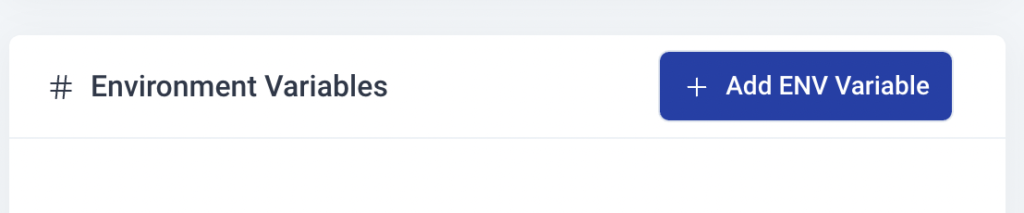
Enter the key (like DATABASE_USER) and the value and click “Add”. Qoddi will automatically add your environment variable and restart your app after a one-minute delay (to let you add more env variables if necessary without restarting the app each time a new variable is added).
Add a domain name
Please check this article for a detailed method on how to use your domain name with Qoddi apps.
Provision a database
Qoddi’s Marketplace includes all popular datastore engines including Mysql, Postgres, MongoDB, and Redis.
To add a database to your app, click on Marketplace and select the database you want to run, then create the new app database inside the same stack as your Node.JS app.
Once the app is running, visit the database app’s settings and retrieve the “internal name” :
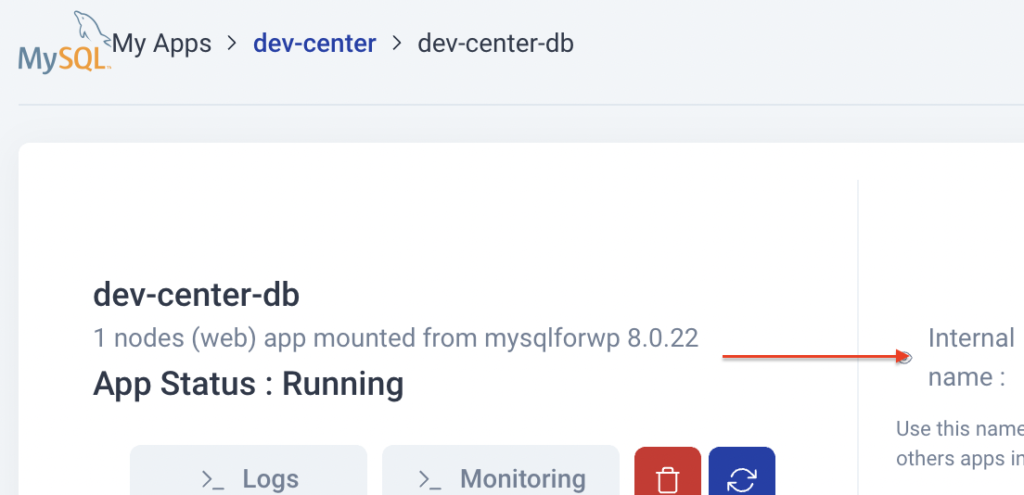
Use this internal name as you would use a server address, for instance for MySQL this name replaces the usual “localhost”. Some scripts require you to add the database port at the end of the server address. Qoddi uses a common port for each database software, for MySQL it will be 3306 and you can write it like that inside your scripts: internal-name:3306
Postgres usually uses credentials sent inside the login URL, like that : postgres://<user>:<password>@<internalname>:5432/<database>
The login and password information is available inside the Environment Variables of the database app.
Note: Qoddi’s datastores run on a private and encrypted network. Therefore SSL support is deactivated for all datastores available on Qoddi. Ensure that your code doesn’t require using SSL before deploying your app.
Run Database migration
Qoddi runs on a high availability infrastructure that separate the builders into another, private network with a dedicated registry. This is mainly to achieve the highest level of isolation between apps, builders and data centers.
Qoddi’s builders cannot access the datastores inside a stack so database initialization and migration cannot be performed during the build phase and the build itself may fail because of that.
To run a database initialization or migration you need to add the sequence inside the Procfile before the initialization command:
web: yarn db migration && yarn serve
The command above is just an example, you need to use the migration and start commands related to your app. A Procfile is mandatory to be able to run database migrations.
Reach your app from another app
Inside your app stack, you can reach any other Qoddi app member of this stack on any port. Qoddi automatically routes the traffic internally and opens the appropriate port. By opposition, your app is only reachable on ports 80/443 from outside of Qoddi.
To reach your app internally, retrieve the internal name from your app settings page:
This name can be used to reach your app from another app inside the same stack. Use it in any form that works with your script:
http://<internalname>
<internalname>
http://<internalname>:port
mongodb://<login>:<password>@<internalname>:port
Note: https:// is not available, all the traffic inside apps is already encrypted by the cluster.
Encryption
Qoddi uses at rest encryption for the app virtual disks, build images, and encrypted transport from inside the cluster. To make sure the traffic is encrypted between your app and the browser of your users you can set up SSL certificates for any domain name connected to the app (including the Qoddi’s default domain name).
Scale your App
From your app settings you can scale your app vertically and horizontally: by upgrading the app size (refer to our pricing for app sizes details) or by adding more nodes.
Additional nodes will run another copy of your app inside another Qoddi’s server located inside the same cluster (same geographical location). Traffic is automatically sent to the least occupied node by Qoddi’s load balancer.